What is it?
AI Built Editor is an editor library that makes rich content editable
right in the browser – text, headings, lists, tables, code blocks, images, collapsible
sections. It is added with a single <script> tag: no npm, no bundler,
no server.
The remarkable part is not the feature list, it is what sits underneath. An editor that feels right while you type is one of the most thankless problems in frontend development: the browser insists on managing the content, the library insists it knows better, and the cursor ends up in the wrong place either way. This library solves that with a document model of its own – which makes it solid evidence of what AI produces in a short time.
Features
Two modes
Power users see the syntax as soon as the cursor is on a line. In end user mode it stays hidden for good – only the finished result is visible, driven by a toolbar.
Rich content
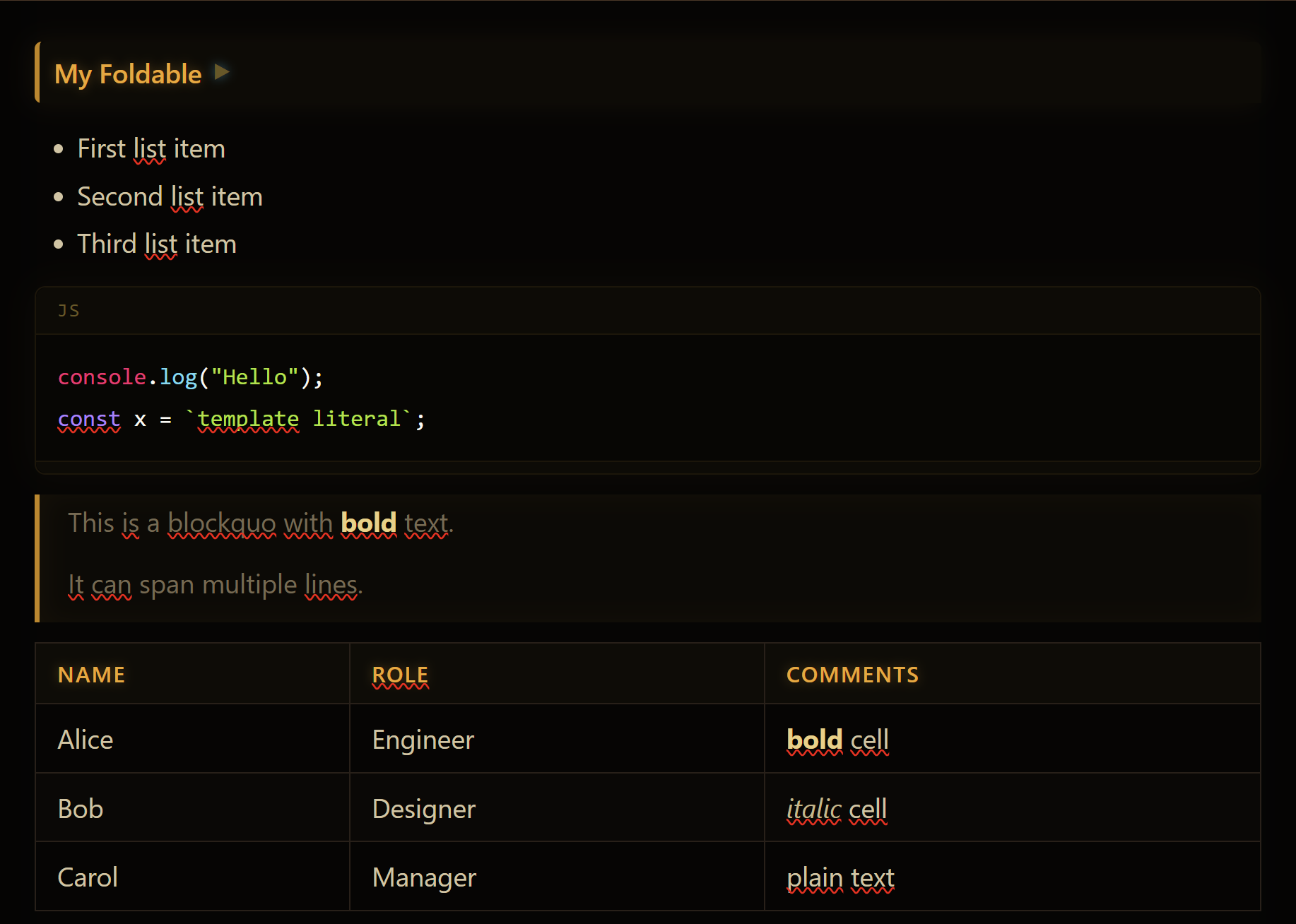
Tables in two notations, code blocks with syntax highlighting, images, links, quotes and collapsible sections.
Extensible syntax
Every element is its own spec class. A new element means adding one file – the engine stays untouched.
Your own shorthands
Define inline replacements in JSON: (i) becomes an info icon, ((text)) becomes dimmed secondary text.
Themes
Four themes included, light and dark – or your own CSS. Switchable at runtime.
How it was built
- Architecture first: document model, transactions and rendering settled on paper
- Broken down into ten steps – each with its own spec and its own test page
- The AI builds step by step; every step runs before the next one starts
- The loop: spec → implementation → test page → next step
Good to know
The key is not the prompting, it is the decomposition. Ask an AI to "build an editor" and you get something that falls apart after five minutes of typing. Specify ten steps and verify each one on its own, and you get a library that holds up.
This is exactly the way of working I bring into client projects: AI does not replace the engineering – a clean specification is what turns AI into a fast and dependable tool. The result is ordinary code that you can read, review and carry on developing yourself.
What does a project like this cost?
Fixed price once specified · breaking the work into steps is part of the offer. The price depends on the scope and is estimated individually after a first call – what matters is how cleanly the plan can be split into steps you can sign off one by one.
Is AI-written code worse code?
Not when the architecture is settled up front and every step is tested. This library has a cleanly separated model, transactions and rendering – the same structure a hand-written editor would have. The difference is in the pace, not in the quality.
Why not use an existing editor library?
Because the well-known editors come with large dependencies, force a build step and resist
being bent towards your own syntax. This library is a single <script> tag and
it is entirely yours – and that is precisely what AI has made economical.
Can I put it into my own application?
Yes. A container element, the syntax elements you want and the content as text are enough. Content is read and written as Markdown, so storing it is simple – in a file just as well as in a database.
Is it finished or still in development?
The library runs and can be tried as a live demo; it is in its testing phase. For use at your company it is tailored to your case and tested along the way.
Who is it for?
The proof of feasibility
If an editor engine can be built in days, so can the tool that has been sitting on your wish list for years.
Editing inside your own apps
Knowledge bases, documentation, notes and reports edited right inside your application – without a second system.
Non-technical users
End user mode hides every syntax character: anyone who can use a word processor can use this editor.
A surface for AI content
Review and rework AI-generated text – in the same Markdown format language models write in anyway.
What the editor handles
- Text: headings, paragraphs, bold, italic, strikethrough, inline code
- Structure: nested lists (Tab/Shift+Tab), quotes, horizontal rules
- Tables: pipe tables with column alignment plus a simple notation without special characters
- Code: fenced blocks with a language tag, optionally syntax highlighted
- Collapsible sections: long documents stay readable
- Images and links: inserted through a dialog and editable again later via right-click
Tailored to your application
The library is not a closed product, it is a construction kit. For use at your company it is assembled to fit exactly what you need:
- Load only the syntax elements that make sense in your context
- Custom elements for your domain language – as one more spec class
- Toolbar and right-click menu composed to your requirements
- A theme in the design of your application, light or dark
- Storage as Markdown – in files, a database or your existing system
Architecture & control: A single contenteditable element,
but nothing is left to the browser: the library keeps its own document model,
applies every input to it as a transaction, rebuilds the view and then sets
the cursor back explicitly from the model. No framework, no build step, no server – all
the code runs in the browser and belongs to you.
Tech stack
Vanilla JavaScript • contenteditable • custom document model • Markdown • CSS themes • highlight.js (optional)
Try it yourself
The demo runs entirely in the browser – start typing and watch syntax turn into finished content.
Try the live demoAt a glance
<script> tag – no npm, no bundler, no serverMore than an editor: this project shows the way of working behind my Apps that work and my Automation – for the details, see the post AI-first development boosts productivity.
What would you build if it were quick?
First call is free – on site in Bamberg/Nuremberg or online.